Mobile Controls for SpiderMan Simulator
Touch layout, camera tips, and combat timing for Clever Wizard Entertainment's Roblox Spider-Man simulator on phone and tablet.
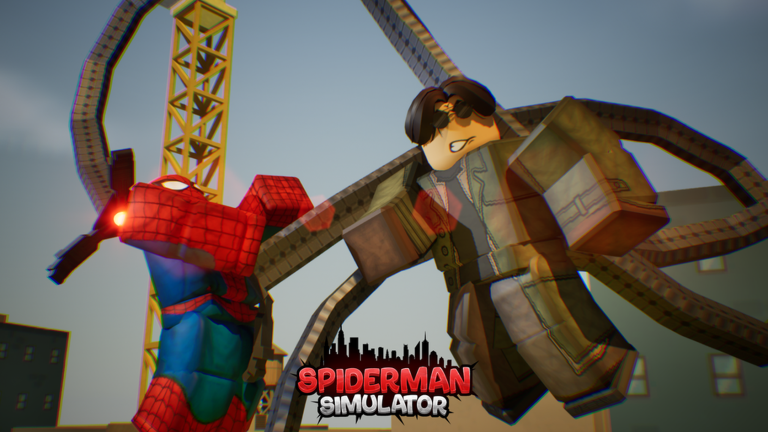
SpiderMan Simulator [BETA] runs on Roblox mobile clients with the same Cash, suit, and ability progression as PC, but the control scheme is touch-first. Clever Wizard Entertainment still advertises roll, sprint, and climb on the official game page—functions that map to on-screen buttons rather than Left Ctrl, Left Shift, and Space. This guide explains how mobile inputs mirror desktop actions, where touch players struggle most, and how to stay competitive while unlocking suits like Miles 2099, Iron Spider, Noir, Spider-Woman, and Gwen variants.
Mobile is viable for casual farming and code redemption, but boss rushes and dense villain packs demand practice. Read PC Controls if you also play on keyboard and mouse; many players hybridize—phone for quick sessions, PC for precision fights.
Touch layout overview
Roblox mobile games share a common HUD pattern: virtual joystick on the left, action buttons on the right, camera drag anywhere on the screen. SpiderMan Simulator adds spider-specific actions on top:
| Function | Typical mobile placement | PC equivalent |
|---|---|---|
| Move | Left virtual joystick | WASD |
| Camera / aim | Drag on screen | Mouse look |
| Jump / climb | Dedicated jump button; hold near walls to climb | Space |
| Sprint | Sprint toggle or hold button | Left Shift |
| Roll | Roll button, often smaller | Left Ctrl |
| Melee attack | Primary action button | Left mouse |
| Web swing | Secondary action button | Right mouse |
| Menu | Roblox menu or in-game icon | M key |
Exact icon art and size can shift between Roblox app versions. After each update on Updates Hub, open a private server and tap every button once to rebuild muscle memory.
Movement on a small screen
Web swinging on mobile fails when your thumb blocks the camera. Use two hands: left thumb on movement, right thumb on swing and attack, and tilt the device slightly so your right thumb can drag camera between buttons. Short, low lines are easier to aim than sky-high attachments—you lose less time recovering from bad angles.
Sprint should trigger when you land near a villain cluster, not mid-air where it does nothing useful. Mobile players often tap sprint too early and arrive with cooldowns still active. Time sprint for the last few meters before melee range.
Climb saves runs when street-level packs surround you. Jump toward a wall and hold climb (or jump again depending on client mapping) to vertical escape. Drop back with a swing attach queued on the right thumb. This sequence is slower than PC Space timing but mandatory on tablet-sized screens where FOV is tighter.
Roll and survivability
Roll is the smallest button and the easiest to miss under pressure. Increase Roblox touch button size in client settings if your phone allows UI scaling. Roll when you see wind-up animations from stronger villains—standing still to tap attack repeatedly is the fastest way to lose Cash streaks.
Because mobile hitboxes feel tighter at low FPS, roll slightly early rather than late. If the game stutters during ten-enemy packs, lower graphics quality before blaming skill.
Combat tips for touch players
Melee and web swing share one screen corner. Mis-taps cause whiffed punches when you meant to attach a line—or premature swings when you wanted one more hit. Fix this with rhythm:
- Joystick toward target.
- Two or three melee taps.
- Roll button.
- Swing away to next pack.
Ability upgrades from Cash add power, but activation still flows through the same buttons described on Abilities Overview. Do not buy tier-three abilities until you can execute the basic loop without looking at your thumbs.
Camera and Roblox mobile settings
Open Roblox app settings before long sessions:
- Shift Lock: try both on and off; some players aim better with lock for melee, others need free camera for swings.
- Graphics mode: automatic often downscales in fights; manual lower setting keeps input responsive.
- Button size / opacity: larger buttons reduce mis-taps at the cost of screen space.
Bluetooth controllers on mobile behave like PC inputs—use PC Controls if you connect a gamepad. Not every phone supports controllers smoothly; test in a low-stakes area first.
Performance equals control
Thermal throttling on phones drops frame rate after twenty minutes. When FPS falls, roll windows and swing releases feel late even though taps register. Short breaks, lower brightness, and closing background apps help. Public servers with particle-heavy abilities also lag mobile GPUs—switch instances if input delay spikes.
Game passes that widen collect radius still require you to path near defeated enemies. Mobile pathing is harder when camera lag follows swings; plan routes along long streets instead of zig-zagging alleys you cannot see into.
Mobile vs PC: when to switch
Use mobile for:
- Redeeming Codes quickly.
- Short Cash farming loops you already know.
- Checking Community Links announcements on the go.
Switch to PC for:
- First-time boss badge attempts.
- Learning new ability combos after rebirth.
- Comparing suit passives on Best Suits with live testing.
Safety and scripts on mobile
Mobile players see ads for “auto farm” apps and modified APKs. Those violate Roblox Terms of Service, often contain malware, and can compromise accounts. Read Scripts Hub for why executors and sideloaded tools are never worth the risk—legitimate progress comes from controls practice, codes, and planned spending via Cash Planner.
Related pages
- Controls Hub — shared concepts and troubleshooting.
- Getting Started — first-hour goals independent of platform.
- Tier List Hub — suit priorities once mobile inputs feel reliable.
Practice ten minutes per session instead of one long grind with cramped hands. Consistency beats raw hours when touch accuracy is the bottleneck.
Frequently Asked Questions
Quick answers for SpiderMan Simulator on Roblox.
Does SpiderMan Simulator support mobile play?
Yes through the Roblox mobile app. Touch buttons replace keyboard keys, but roll, sprint, climb, melee, and web swing functions remain available.
Where is roll on mobile?
Roll appears as an on-screen action button, usually near attack and jump. Increase button size in Roblox settings if you miss it during fights.
Why do my web swings miss on phone?
Camera drag and swing buttons compete for thumb space. Use two hands, aim lower rooftop lines, and avoid sprinting mid-swing when you need precision.
Can I use a controller on mobile?
Some devices support Bluetooth controllers through Roblox, which maps closer to PC bindings. Test in a quiet area before serious farming.
Are mobile controls updated separately from PC?
Developers patch one Roblox experience for all platforms. Check Updates Hub and Discord via Wiki Links when HUD buttons move after a BETA patch.