PC Controls for SpiderMan Simulator
Keyboard, mouse, and menu bindings for Clever Wizard Entertainment's Roblox Spider-Man action simulator.
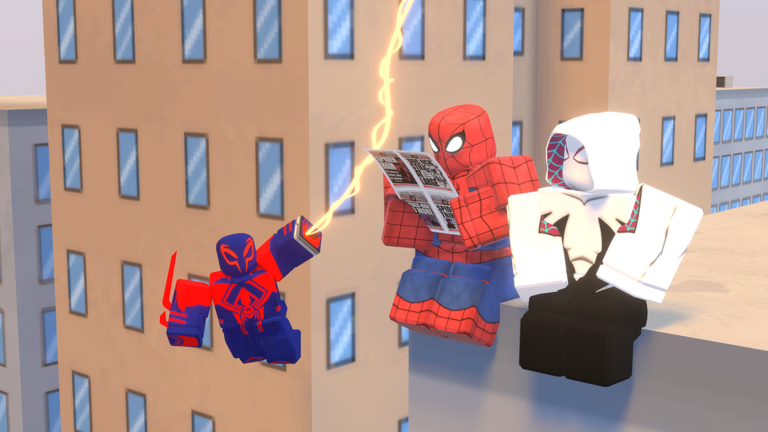
Playing SpiderMan Simulator [BETA] on PC gives you the most precise control over web lines, camera aim, and melee timing. Clever Wizard Entertainment publishes three headline bindings on the Roblox game page—Left Ctrl for roll, Left Shift for sprint, and Space for climb—and layers them on top of standard first-person movement. This guide documents every input PC players rely on, explains how each action fits into combat loops, and links to mobile alternatives if you switch devices later.
Before you grind Cash for Miles 2099, Iron Spider, Noir, Spider-Woman, or Gwen suits, spend ten minutes in an empty server practicing movement. Ability upgrades and passive boosts multiply damage you already land; they cannot fix missed rolls or swings that slam you into walls.
Default keyboard and mouse bindings
The table below reflects the layout described on the official game page plus common Roblox action-simulator conventions confirmed by community guides. If your client differs after a patch, open the in-game menu with M and compare against this list.
| Input | Action | Combat / movement notes |
|---|---|---|
| W A S D | Move forward, strafe left/back, strafe right | Hold direction while swinging to steer arc |
| Mouse | Look, aim web lines | High sensitivity helps quick camera snaps to villains |
| Left Mouse (M1) | Melee / primary attack | Tap or hold depending on ability state |
| Right Mouse (M2) | Web swing / secondary fire | Attach line, release to build speed |
| Space | Jump / climb | Hold near walls to scale buildings |
| Left Shift | Sprint | Ground burst between spawn clusters |
| Left Ctrl | Roll | Dodge telegraphed boss hits |
| M | Menu | View controls, settings, exit |
Roblox itself may capture Esc for the client menu. Use that to adjust graphics if large fights cause input lag that feels like broken keys.
Movement depth: sprint, climb, and swing
Sprint is deceptively simple. On flat streets it closes distance to villain packs faster than walking alone. During combat it helps you re-position after a combo without wasting time on a full web attach. Sprint does not replace swinging across districts—use it for the last twenty meters before you engage.
Climb matters whenever street-level fights push you against building walls or boss arenas raise verticality. Space near a climbable surface lets you regain height, escape ground AOEs, and drop back down with momentum. New players forget climb exists and fight entire waves at sidewalk level where enemies surround them.
Web swing via right mouse is the signature Spider-Man fantasy. Practical tips:
- Attach lines at a slight upward angle when possible.
- Release near the bottom of the arc to carry horizontal speed.
- Chain a second attach before you stall.
- Mix sprint on landing to stick melee range.
Bad swings waste more time than bad punches. If you whiff a line, roll immediately—many enemies punish idle players.
Roll and defensive play
Left Ctrl roll is your emergency button. Villains in SpiderMan Simulator often wind up heavy attacks with obvious animations. Rolling during the wind-up avoids damage and keeps your Cash streak alive. Treat roll cooldown rhythm like a fighting game: one aggressive combo, one defensive roll, reposition.
Rolling also helps when another player’s abilities clutter the screen in public servers. Even in co-op-friendly lobbies, friendly fire or shared hitboxes can surprise you. Roll first, ask questions later.
Melee combat on mouse
Primary attack on left mouse is how you convert movement into Cash. Stand-still punching works on weak street thugs but fails on tankier villains and boss encounters. The stronger pattern:
- Swing or sprint into range.
- Land two to four hits while strafing with A/D.
- Roll out when the enemy flashes a counter color or animation.
- Re-engage from a higher angle using climb or a quick web line.
Ability upgrades purchased with Cash add extra skills, but they still trigger through combat inputs documented on Abilities Overview. Learn base melee timing before you buy expensive tiers you cannot activate consistently.
Menu and rebinding
Press M to open SpiderMan Simulator’s menu layer. From there you can review control presets, adjust options exposed by the developer, and exit cleanly back to Roblox. Not every simulator exposes full remapping, so note which keys are fixed before you muscle-memory the wrong layout.
If you play other Roblox action games, avoid copying their binds blindly—SpiderMan Simulator expects climb and roll on Space and Left Ctrl per the official description. Conflicts with Roblox Studio or overlay software (Discord, GeForce Experience) can steal Ctrl or Shift. Disable global shortcuts that overlap.
PC settings that affect controls
Graphics and network settings are not bindings, but they change how responsive inputs feel:
- Lower graphics if frame rate dips below 60 during crowds; stutter makes roll windows easy to miss.
- Fullscreen borderless reduces accidental alt-tab focus loss mid-fight.
- Stable ping matters when hit detection is server-side; rubber-banding looks like missed clicks.
Game passes such as expanded collect radius do not change keys—they only widen pickup range once you path correctly. Plan purchases with the Cash Planner after you are comfortable with PC movement.
Cross-links for PC players
- Controls Hub — overview plus mobile comparison.
- Mobile Controls — if you alternate between phone and PC.
- Best Suits — passive boosts worth buying once inputs feel natural.
- Codes Hub — free Cash for early ability upgrades.
- Scripts Hub — why third-party tools are risky on PC executors.
- Community Links — Discord and Clever Wizard group for control changes after updates.
Practice routine (about 15 minutes)
- Empty server or low-pop instance.
- Five minutes swinging rooftop to rooftop without touching ground.
- Five minutes sprint–melee–roll on one villain type.
- Five minutes climb–drop–swing onto a new pack.
Repeat after major patches listed on Updates Hub. Clever Wizard Entertainment ships [BETA] changes; patch notes sometimes adjust ability knockback or climb surfaces even when keys stay the same.
Frequently Asked Questions
Quick answers for SpiderMan Simulator on Roblox.
What mouse button swings webs on PC?
Community guides and in-game tooltips typically map web swing to right mouse (M2) and melee to left mouse (M1). Confirm in the M menu if a patch changes labels.
Does Left Ctrl always roll?
Yes per the official Roblox description. If roll fails, check for overlay software capturing Ctrl or rejoin the server to clear stuck UI focus.
How do I open the controls list in-game?
Press M to open SpiderMan Simulator’s menu, where preset controls and options are shown alongside exit controls.
Should I sprint or swing for long distances?
Use web swings for cross-city travel; sprint for short ground bursts after landing or when lines are on cooldown visually.
Do PC controls change with each suit?
No. Suits modify passives and stats. Only ability unlocks add new combat options using the same primary and secondary inputs.